Why you need an employee lifecycle
In today's modern workplace the average yearly employee turnover rate is between 12% and 15%. With the new standard where people are able to work remotely and suddenly get access to even more jobs, this turnover rate is expected to increase in the upcoming years.
For a security professional leaders, employee life cycle management is often overlooked as this is considered as a HR job, and therefore out of scope their. Unfortunately this is an important mistake, because improper onboarding, role change or offboarding management is one of the most important sources of security breaches.
It is not uncommon to still find active accounts for employees that left years ago, or scenarios where highly confidential information was simply downloaded shortly after the end of collaboration, either due to retaliation or simply to empower the employee's future career.
Even more overlooked are the permissions related to employees that do not leave the company, but simply keep the previous permissions when they change roles, effectively accumulating way too broad privileges over the course of their employment.
As a security professional leader it is important to have a tight relation with the HR department, and ensure you are informed about any onboarding, role change and offboarding. Because you often will not receive access to the company HR tools, or they are simply not made to efficiently track the employee's permission life cycle, you'll need to set up a workflow that allows you to track these different stages.
In Brainframe we do this by using simple checklists and Kanban boards dedicated to the employee life cycle.
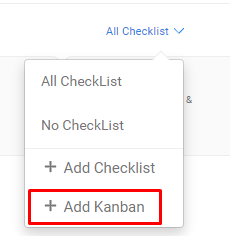
Step 1 - Go to the Workbench, and create a new Kanban board
Here you'll see that you have full flexibility to define which stages you want, what colour the stages are shown in, and which icons are used so you get a quick visibility.
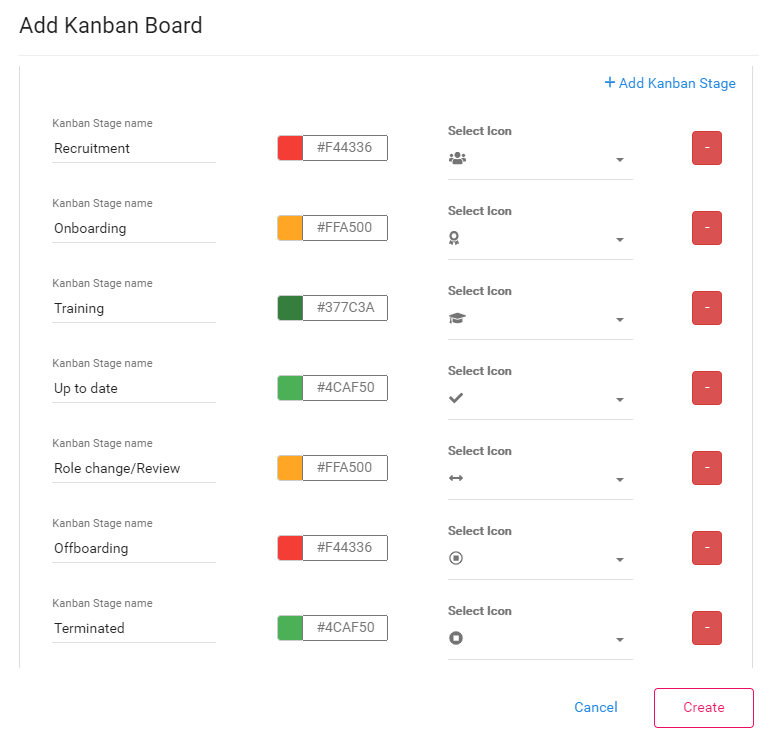
Now that the Kanban type exist, you can use this for any checklist you create. (eg. per company, per department, ...)
Step 2 - Inside the Workbench view, create a checklist based on this Kanban board type
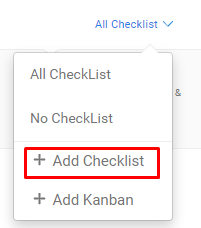
Depending on the scope for your checklist you can give your checklist a name (e.g. Employee lifecycle - Production USA), and you assign the Kanban board we just created
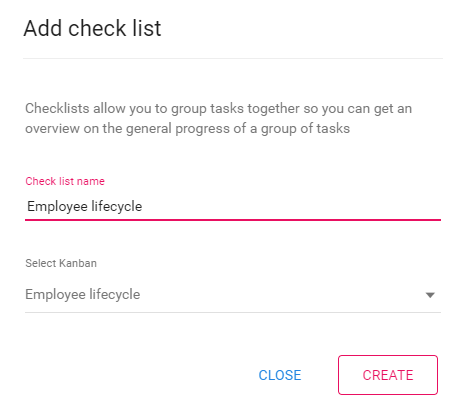
This will do two things. It creates a new "Employee lifecycle" checklist view in the Kanban board (and all other places where you can filter on checklists):

Step 3 - Create a new employee and assign it to your new Checklist
Anywhere in your folder hierarchy (eg folder for employees), you can create a new document of type Employee
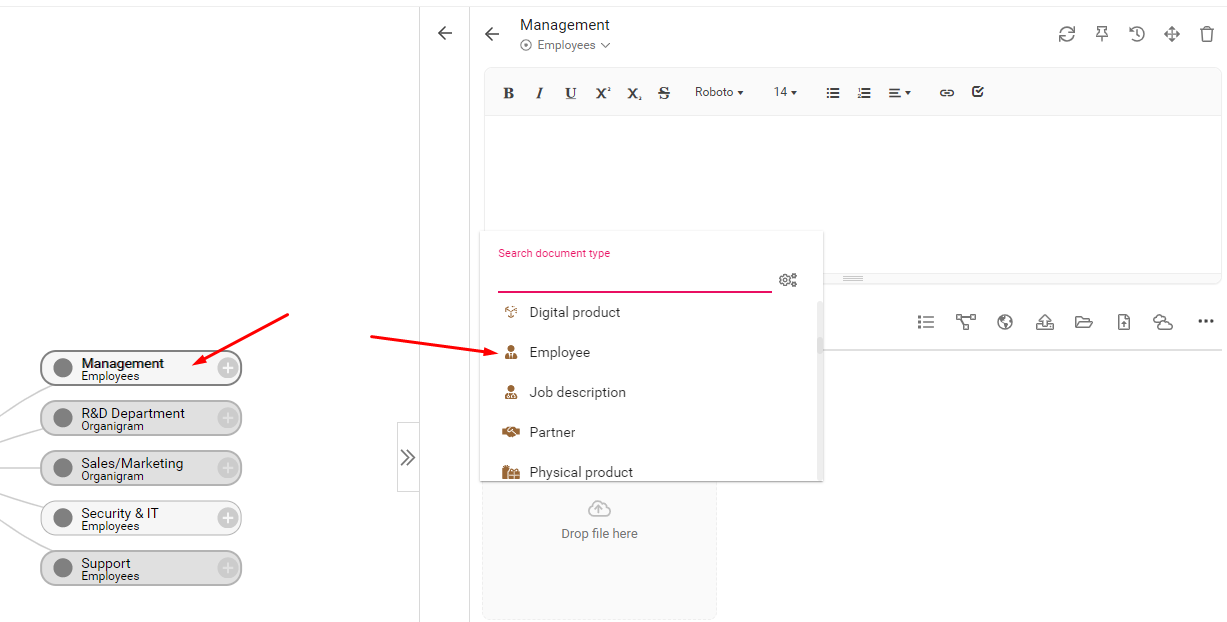
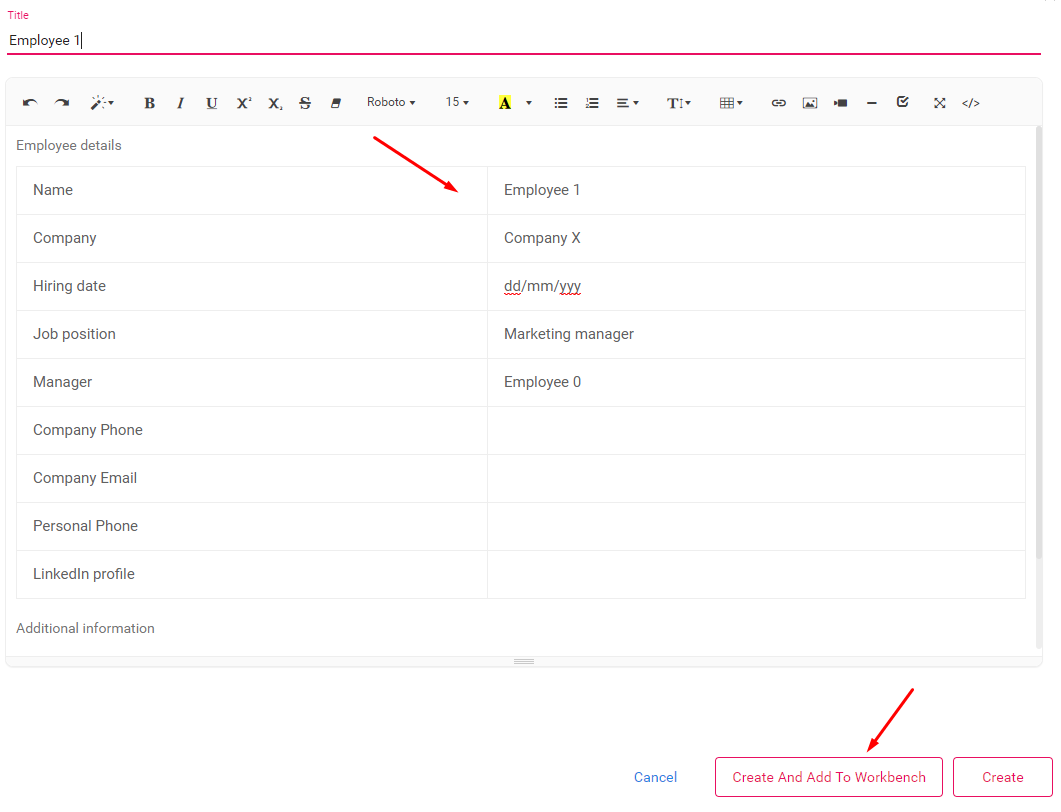
Now select on which checklist you want to add the employee (We'll use the "Employee lifecycle" we just created). Notice you can also assign this employee to different owners, or configure the planning.
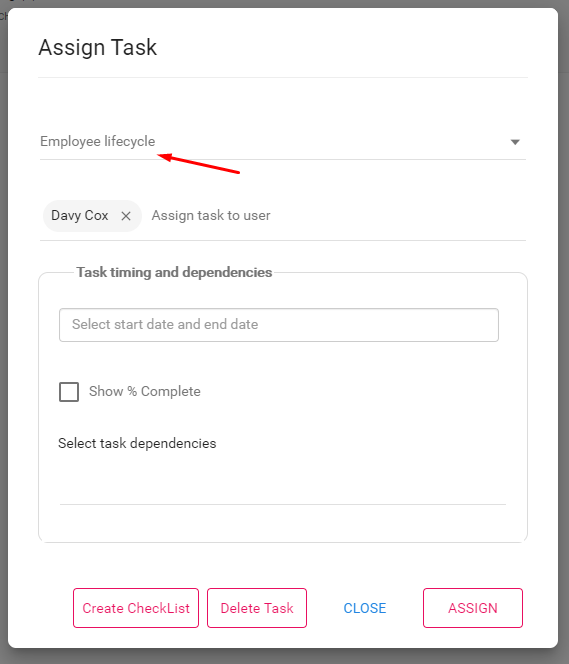
When you select a new checklist, you'll be presented with the different stages where the Employee starts on the workbench. Here we selected "Onboarding" stage considering we already hired the person
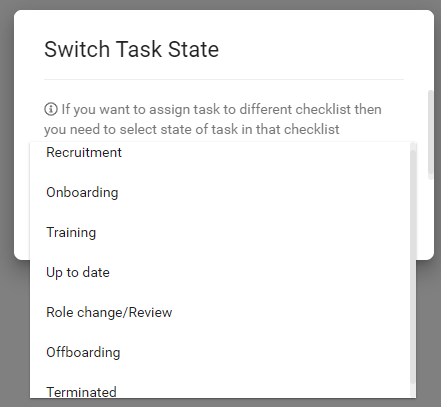
And your new employee is now tracked in the checklist, where you can simply drag & drop them in a different stage

Every company is different, and you probably have your own way of working/requirements. Brainframe's flexibility to configure these flows according to your needs is the core strength our system.
Subscribe to our newsletter
By providing your email we'll send you updates on our service per email
(not more than one mail per week).